Category: WooCommerce

blank

Elementor Widget Part 4: WooCommerce Product Integration

/ | Leave a Comment
# Introduction Now that we have a working widget with controls, it’s time to integrate WooCommerce products. In this part, we’ll query products, display them, work with product data, and create a basic grid layout. # Learning Objectives By the end of this tutorial, you will: Query WooCommerce products using WP_Query Build query arguments based […]
Read more »
blank

Elementor Widget Part 3: Building the Basic Widget Structure

/ | Leave a Comment
# Introduction Now that we understand how Elementor widgets work, it’s time to build the foundation of our Collection Products widget. In this part, we’ll create the widget files, implement the required methods, add basic controls, and register the widget with Elementor. # Learning Objectives By the end of this tutorial, you will: Create the […]
Read more »
blank

Elementor Widget Part 2: Understanding Elementor Widget Architecture

/ | Leave a Comment
# Introduction Before we start coding our Collection Products widget, it’s essential to understand how Elementor widgets work under the hood. In this part, we’ll explore the widget architecture, learn about the base class, understand the widget lifecycle, and see how widgets integrate with the Elementor page builder. # Learning Objectives By the end of […]
Read more »
blank

Elementor Widget Part 1: Setting Up the Development Environment

/ | Leave a Comment
# Introduction Welcome to Part 1 of our tutorial series on building a custom Elementor WooCommerce widget! In this part, we’ll set up a complete development environment for building the Collection Products widget. Proper setup is crucial for smooth development and ensures compatibility with WordPress, WooCommerce, and Elementor. # Learning Objectives By the end of […]
Read more »
blank

Building a Custom Elementor WooCommerce Collection Widget – Tutorial Series

/ | Leave a Comment
# Introduction Welcome to this comprehensive tutorial series on building a custom Elementor widget for WooCommerce! In this series, you’ll learn how to create a “Collection Products” widget from scratch that displays WooCommerce products in a beautiful Pinterest-style grid layout with custom collection images, filtering, and sorting capabilities. # What You’ll Build By the end […]
Read more »
blank

How to Restrict Page Access Based on Purchased Products in WooCommerce

/ | Leave a Comment
If you’re running a WooCommerce store, you may want to restrict access to certain pages based on the products a user has purchased. For example, you might offer exclusive content or services to customers who have bought specific products. This tutorial will guide you through the process of restricting access to pages based on a […]
Read more »
blank

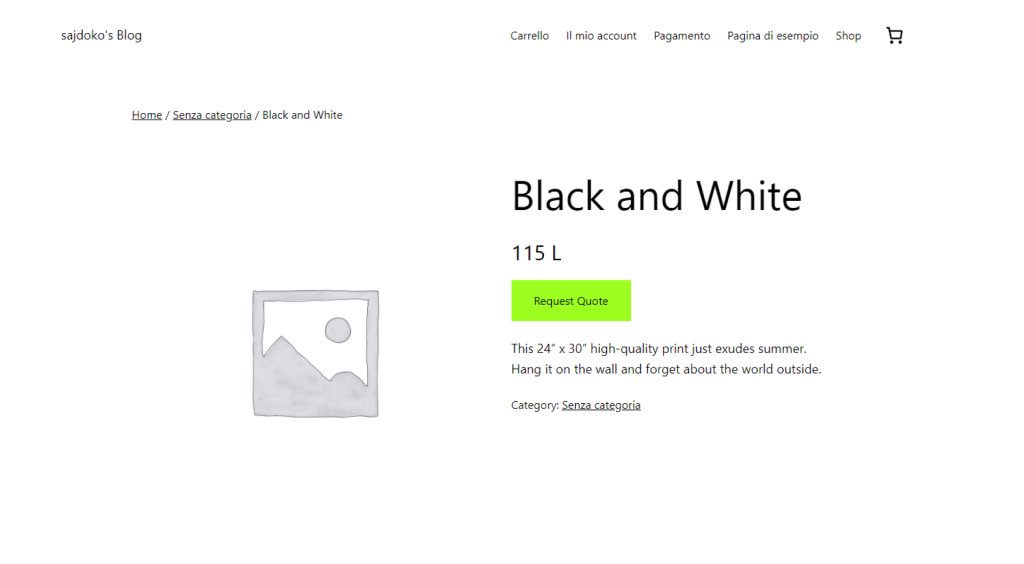
How to Replace the “Add to Cart” Button with a “Request Quote” Button Based on User Location in WooCommerce

/ | Leave a Comment
WooCommerce is a powerful and flexible plugin for creating an online store, but sometimes you may need to modify its default functionality to fit specific business requirements. One common need is to remove the “Add to Cart” button for certain users based on their location and replace it with a “Request Quote” button. This is […]
Read more »
blank

How to Add Kosovo as a Checkout Country in WooCommerce

/ | Leave a Comment
WooCommerce is a powerful and flexible e-commerce platform, but sometimes it doesn’t include all countries by default. For example, Kosovo isn’t officially listed as a checkout country. In this tutorial, I’ll show you how to add Kosovo as a valid country in WooCommerce, make it part of the European continent, and even assign major cities […]
Read more »
Chat on WhatsApp Chat on WhatsApp To top