Category: Code

blank

How to Implement Role-Based Content Restrictions in WordPress Without Plugins

/ | Leave a Comment
Managing access to content on your WordPress site can become essential as your user base grows. Whether you run a membership site, offer premium content, or manage a community with multiple roles, role-based content restrictions allow you to control who can view specific areas of your site. This guide will teach you how to implement […]
Read more »
blank

How to Create a ‘Services’ Custom Post Type with Meta Boxes in WordPress

/ | Leave a Comment
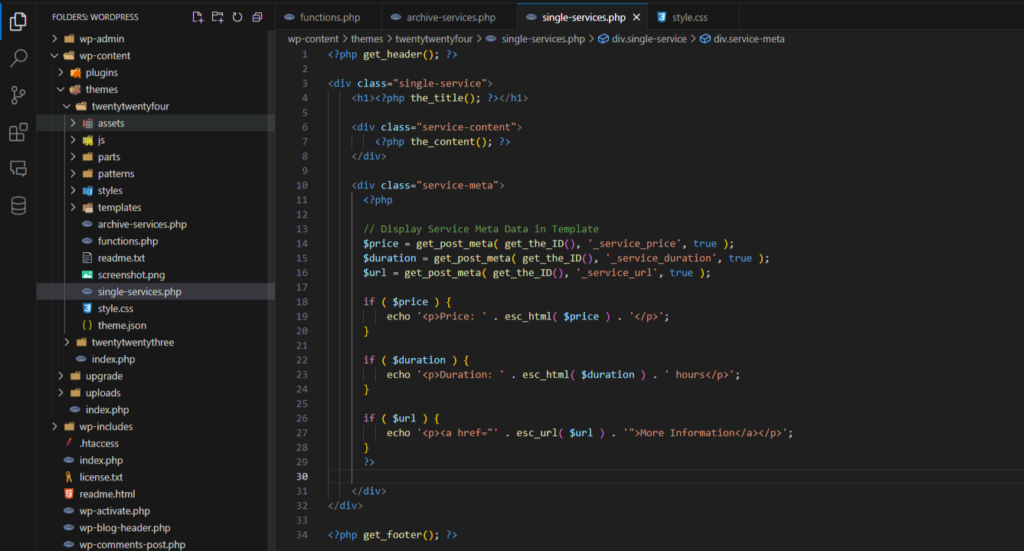
Custom post types allow WordPress developers to extend the functionality of their website beyond standard posts and pages. By adding a ‘Services’ custom post type, you can display your business offerings in a more organized and customizable way. Moreover, by adding custom meta boxes, you can include additional details about each service, such as pricing, […]
Read more »
blank

Mastering WP_Query: A Comprehensive Guide to Querying Posts in WordPress

/ | Leave a Comment
WP_Query is one of the most powerful tools in a WordPress developer’s toolkit. It allows you to create complex queries to retrieve posts based on almost any parameter you can think of—authors, categories, tags, custom fields, and more. Understanding the various parameters available to WP_Query is crucial for customizing how content is displayed on your […]
Read more »
blank

Simple WordPress AJAX Example: A Step-by-Step Guide

/ | Leave a Comment
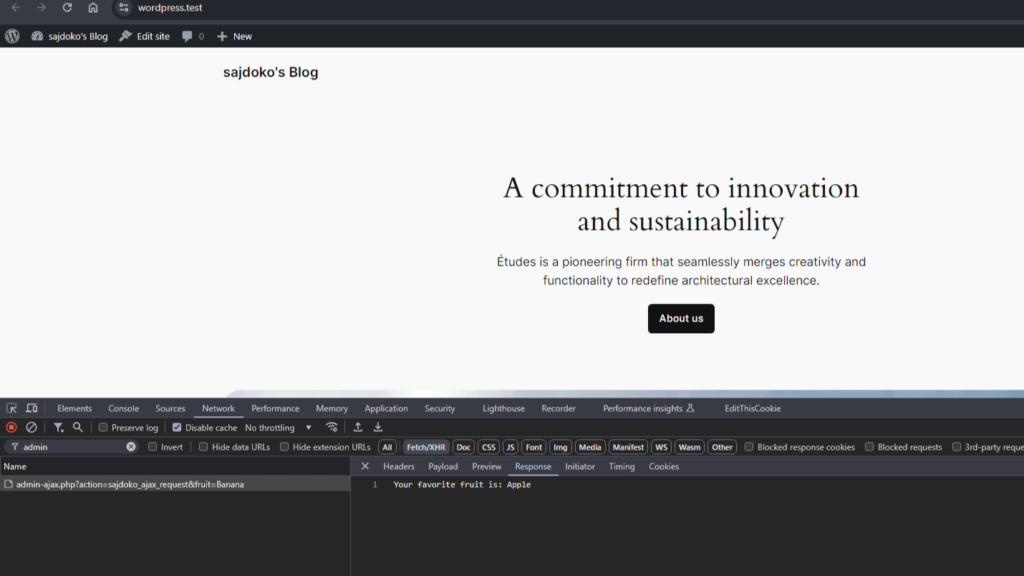
AJAX is a powerful tool in WordPress, allowing for dynamic, real-time interactions on your website without the need to refresh the page. Whether you’re building a contact form, a product filter, or loading posts dynamically, AJAX will provide a smoother, faster experience for your users. In this guide, we’ll walk through a basic WordPress AJAX […]
Read more »
blank

How to Restrict Page Access Based on Purchased Products in WooCommerce

/ | Leave a Comment
If you’re running a WooCommerce store, you may want to restrict access to certain pages based on the products a user has purchased. For example, you might offer exclusive content or services to customers who have bought specific products. This tutorial will guide you through the process of restricting access to pages based on a […]
Read more »
blank

How to Replace the “Add to Cart” Button with a “Request Quote” Button Based on User Location in WooCommerce

/ | Leave a Comment
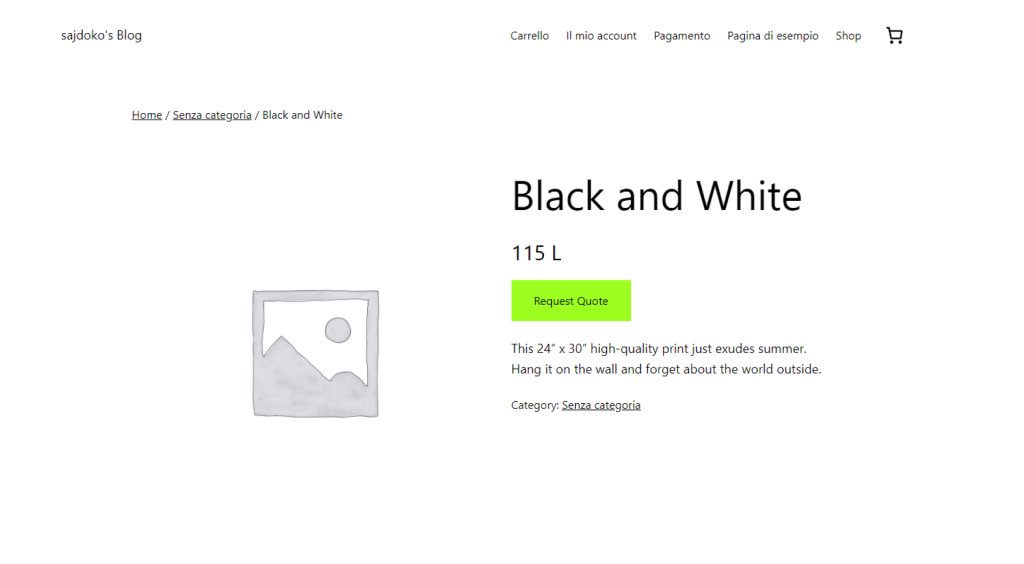
WooCommerce is a powerful and flexible plugin for creating an online store, but sometimes you may need to modify its default functionality to fit specific business requirements. One common need is to remove the “Add to Cart” button for certain users based on their location and replace it with a “Request Quote” button. This is […]
Read more »
blank

How to Add Kosovo as a Checkout Country in WooCommerce

/ | Leave a Comment
WooCommerce is a powerful and flexible e-commerce platform, but sometimes it doesn’t include all countries by default. For example, Kosovo isn’t officially listed as a checkout country. In this tutorial, I’ll show you how to add Kosovo as a valid country in WooCommerce, make it part of the European continent, and even assign major cities […]
Read more »
Chat on WhatsApp Chat on WhatsApp To top