WordPress Malware Removal and Security Hardening: The Complete Emergency Recovery Guide
Few operational crises disrupt a commercial enterprise more violently than discovering that your primary website has been blacklisted by search engines. Seeing Google’s alarming red interstitial warning—“Deceptive site ahead: Attackers on this site may trick you into doing something dangerous like installing software or revealing personal information”—instantly vaporizes consumer trust, halts active paid advertising campaigns, and terminates inbound sales funnels.
Powering over 43% of the world’s web properties, WordPress remains the premier target for automated global exploit networks. Breaches rarely occur through personal targeted sabotage; rather, automated botnets continuously crawl the internet probing for known plugin vulnerabilities and server misconfigurations. At engineering studio sajdoko::, our specialized maintenance and cybersecurity team routinely performs emergency surgical remediation for high-value e-commerce portals and enterprise websites. In this technical recovery guide, we detail our forensic protocol for eradicating malware and establishing enterprise-grade defense-in-depth hardening.
The anatomy of modern WordPress intrusions
Modern malicious payloads are engineered for stealth and persistence. Unlike primitive 1990s website defacements, contemporary malware strives to remain undetectable by site administrators while quietly exploiting server bandwidth, harvesting user credentials, or orchestrating conditional mobile redirects:
| Primary Attack Vector | Exploitation Mechanism | Commercial Business Impact |
|---|---|---|
| Vulnerable & Abandoned Plugins | Unpatched SQL injection or Remote Code Execution (RCE) flaws allow arbitrary PHP uploads. | Creation of rogue administrator accounts and full web server privilege escalation. |
| Nulled Themes and Pirated Assets | Unlicensed themes downloaded from free aggregators contain obfuscated base64 backdoors. | Data exfiltration, database leakage, and stealth spam injection in SEO index pages. |
| Permissive Server Permissions | Directories configured with chmod 777 allow malicious scripts to write across virtual hosts. |
Cross-contamination of all web properties hosted on the same shared server instance. |
| XML-RPC and wp-login Brute-Force | Distributed botnets flood authentication endpoints with millions of dictionary attempts. | Severe database connection exhaustion, CPU throttling, and complete service outages. |
Diagnostic indicators: Verifying an active intrusion
Sophisticated attackers frequently employ conditional user-agent cloaking. When an administrator accesses the site directly from their authenticated desktop browser, the site functions perfectly. However, when an unauthenticated consumer clicks an organic search snippet on a mobile device, the script intercepts the request and redirects to a phishing destination.
To detect compromise before search engines blacklist your domain, monitor these critical indicators:
- Unauthorized Administrative Users: Inspect
Users > All Usersin wp-admin. The presence of unfamiliar administrator profiles with disposable webmail addresses indicates an active privilege compromise. - Anomalous PHP Artifacts in Uploads: Legitimate WordPress media folders should strictly store static binary files (JPEG, PNG, WebP, PDF). The presence of any PHP file within
wp-content/uploads/is a definitive indicator of a backdoor. - Tampered .htaccess Rules: Malicious rewrite rules injected at the head of the root
.htaccessfile designed to intercept Googlebot or manipulate referrer headers. - Spam Indexing in Google Search Console: Thousands of Japanese or foreign pharmacy URLs indexed under your domain name (the Japanese Keyword Hack).
The 5-phase forensic recovery and decontamination protocol
When responding to an active security incident, haphazardly deleting files or relying solely on automated scanner plugins often results in immediate reinfection because root-level persistent backdoors remain intact. Our studio executes an uncompromising five-phase engineering decontamination protocol:
Phase 1: Environment quarantine and maintenance isolation
The first critical action is severing external access to prevent additional payload downloads and protect visiting customers. We place the application in hard maintenance mode at the web server layer, returning a 503 Service Unavailable header while preserving local SSH administrative access for forensic analysis.
Phase 2: Core integrity verification via cryptographic checksums
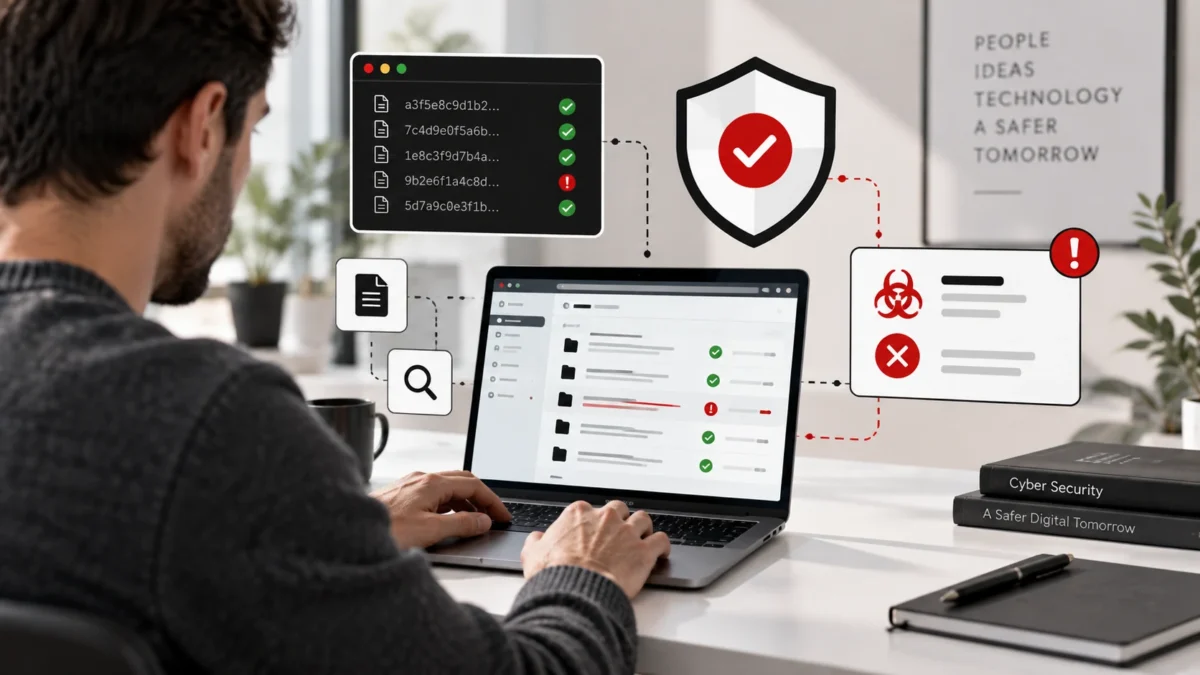
Never attempt to manually disinfect modified core system files. We utilize the WP-CLI command-line utility to audit the integrity of the installation against the official WordPress cryptographic checksum repository:
wp core verify-checksums
wp plugin verify-checksums --all
We systematically purge the entire wp-admin/ and wp-includes/ directories and replace them with fresh, unadulterated distribution packages directly from WordPress.org. The wp-config.php file is manually audited, sanitized, and regenerated with fresh cryptographic security salts to invalidate all existing user browser authentication cookies.
Phase 3: Media repository cleansing and script execution termination
Because the wp-content/uploads/ directory must remain writable by the web server process, it represents the primary repository where attackers conceal secondary webshells (e.g., c99, r57, or obfuscated eval(base64_decode()) payloads). We scan and purge all executable scripts across the media hierarchy:
find wp-content/uploads/ -type f -name "*.php*" -deleteWe then implement an impenetrable web server rule within the uploads directory. Under Apache, an isolated .htaccess file blocks script execution:
<Files *.php>
    Order Deny,Allow
    Deny from all
</Files>
Under Nginx or LiteSpeed, location blocks are configured to reject any request resolving to a PHP file in uploads with an immediate 403 Forbidden response. Even if a zero-day exploit succeeds in uploading a webshell, the web server strictly refuses to execute it.
Phase 4: Deep database payload extraction
Attackers frequently inject persistent scripts into the database to re-create administrator accounts or trigger redirects. We execute specialized SQL queries targeting the wp_options table (auditing the siteurl, home, and auto-loaded transients), clean malicious JavaScript injected into wp_posts, and review custom database triggers and cron schedules stored in the cron option.
Phase 5: Global credential rotation
A decontamination procedure is incomplete without cycling every authorization boundary. We systematically rotate:
- All WordPress administrator and editor credentials.
- Database user passwords in MySQL and corresponding
wp-config.phpdefinitions. - Host-level SSH keys, SFTP credentials, and hosting management panel access tokens.
- Third-party transactional API secrets (Stripe, PayPal, SendGrid, and SMS gateways).
Permanent infrastructure hardening blueprint
Cleaning an infected application without resolving underlying architectural vulnerabilities invites reinfection within hours. At sajdoko::, we implement enterprise-grade defensive hardening across every managed environment:
1. Web Application Firewall (WAF) edge protection
We route DNS through Cloudflare Enterprise WAF. Traffic is analyzed and filtered at the global edge before reaching your origin server, automatically neutralizing SQL injection, Cross-Site Scripting (XSS), and known CVE exploits.
2. Restricting administrative entry points
We secure wp-login.php with mandatory Two-Factor Authentication (2FA) and aggressive rate-limiting. For corporate intranets and high-security client portals, we restrict administrative access exclusively to dedicated corporate IP ranges or VPN tunnels.
3. Disabling internal file editors
We permanently disable the theme and plugin file editor in the WordPress dashboard by defining the following constant in wp-config.php:
define('DISALLOW_FILE_EDIT', true);This single safeguard prevents an attacker who obtains dashboard access from modifying theme templates to insert persistent webshells.
4. Enforcing strict POSIX filesystem permissions and ownership
In secure production environments, the web server process should never possess blanket write authority across the entire filesystem. We enforce strict Linux ownership and permission matrices:
find /var/www/html/ -type d -exec chmod 755 {} \;
find /var/www/html/ -type f -exec chmod 644 {} \;
chmod 440 /var/www/html/wp-config.php
By locking wp-config.php to read-only permissions (440 or 400) owned by a dedicated system user, compromised web processes cannot overwrite database connection credentials or inject stealth database hooks.
5. PHP-FPM process isolation and disabling dangerous functions
At the runtime engine layer, we configure dedicated PHP-FPM user pools with strict open_basedir boundaries. This prevents cross-site directory traversal on multi-tenant servers. Furthermore, we hard-disable hazardous PHP functions frequently exploited by web shells within php.ini:
disable_functions = exec,passthru,shell_exec,system,proc_open,popen,curl_multi_exec,parse_ini_file,show_source6. Immutable off-site backup architecture
Modern ransomware targeting web servers attempts to locate and delete local backup archives before encrypting application data. We implement automated off-site backups utilizing cryptographic, append-only repositories (such as BorgBackup or AWS S3 Object Lock). Even if an intrusion achieves total server root compromise, historic snapshots remain immutable and instantly restorable.
Reputation recovery and Google blacklisting remediation
Once the infrastructure is certified 100% clean and locked down, we file a formal Request for Review through Google Search Console under the Security Issues panel. Our submission includes a concise, professional technical summary of the remediation actions taken (core checksum verification, upload directory execution lockdowns, and database sanitation).
Google’s automated security crawlers typically re-evaluate the domain within 24 hours, removing the warning screen and fully restoring organic search indexing and paid ad approvals.
To explore how our continuous maintenance retainers protect your digital properties against recurring vulnerabilities, review our transparent pricing options. If your business is currently facing an active security breach or search engine warning, do not wait: contact the rapid-response security engineering team at sajdoko:: immediately to restore your operations.
Frequently asked questions about WordPress malware removal
What are the most common signs that a WordPress website is hacked?
Primary symptoms include unauthorized mobile redirects to spam or gambling domains, Google Search Console blacklisting with ‘Deceptive Site Ahead’ warnings, sudden creation of unauthorized administrator accounts, defaced landing pages, or host CPU throttling caused by outbound spam relays.
Can security plugins like Wordfence completely clean an infected installation?
While security plugins are valuable for preliminary detection, sophisticated modern malware deploys persistent polymorphic backdoors in uploads directories, database transients, and server cron jobs that automated plugins frequently fail to eradicate entirely.
How long does it take Google to remove a blacklisting warning?
Once our engineers verify 100% remediation and file a formal Security Review Request via Google Search Console, Google typically rescans the server and removes the interstitial warning within 12 to 48 hours.
How did attackers compromise the site if our admin password was strong?
Over 90% of WordPress breaches originate through unpatched vulnerabilities in outdated plugins, compromised third-party dependencies, or pirated ‘nulled’ themes containing pre-installed backdoors, rather than brute-force password guessing.
How does sajdoko:: ensure that reinfection does not occur?
We enforce defense-in-depth: replacing core files with verified repository checksums, disabling PHP execution in writable upload directories, deploying Cloudflare Web Application Firewall (WAF), and establishing automated daily immutable off-site backups.