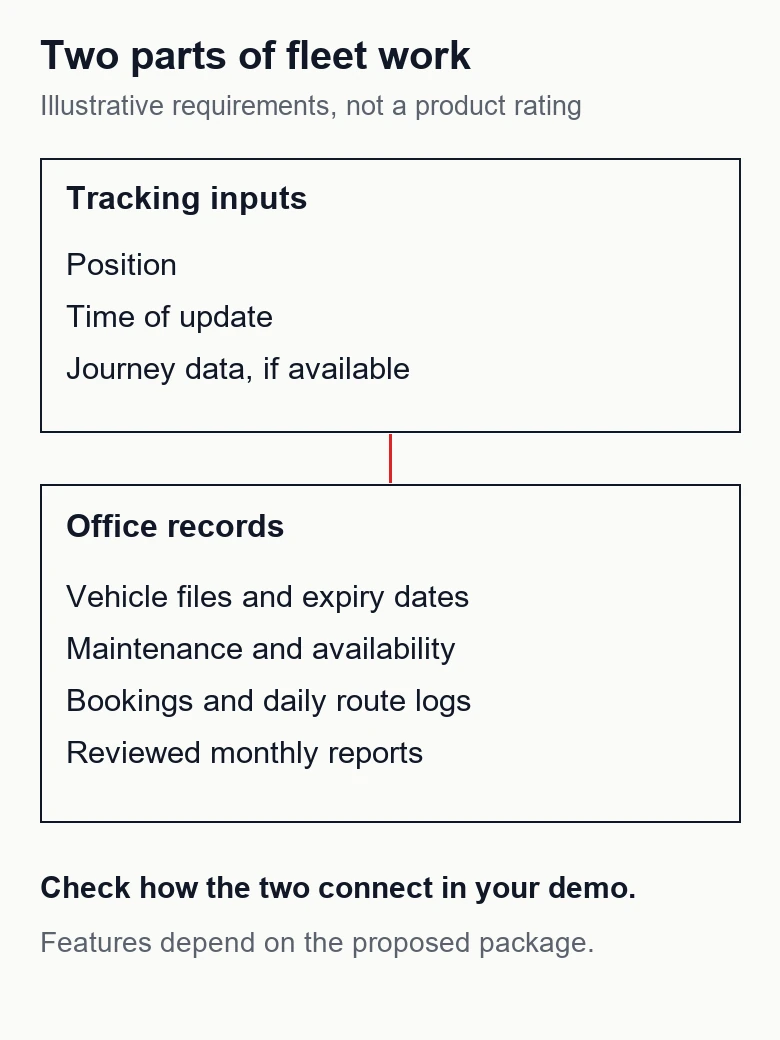
A fleet map can help you locate a vehicle. Your office still needs to know whether its documents are current, when maintenance is due, which trip it has been assigned to and which records belong in the monthly report. Start your fleet management software requirements with those daily questions.
For transport operators choosing a system, the most useful demonstration follows a job from booking to review. Ask the supplier to use fictional vehicles and routes resembling your work. Then check what staff must enter, what the system calculates and what happens when a plan changes. A polished dashboard alone cannot answer those questions.
What GPS answers, and what the office must record
GPS provides positioning, navigation and timing services. A receiver uses satellite signals to calculate position and time, as explained by GPS.gov. Making that position visible to your office also requires the tracking device or app, communications and a platform. Ask the tracking supplier how that chain works and how recent each displayed position is.
A coordinate does not, by itself, establish that an insurance document has been renewed or that a trip has been approved for the monthly statement. Those answers need business records and agreed rules. Some tracking platforms include operations modules too, so compare the actual functions in the proposed package rather than relying on the label “GPS” or “FMS”.
The following fictional requirements matrix separates the questions. It is a planning aid, not a vendor comparison or a statement about any product’s included features.
| Office question | Tracking evidence to request | Operations evidence to request |
|---|---|---|
| Where is the vehicle? | Position and update time | Vehicle linked to the correct booking |
| Can we assign it? | Location as an input | Availability and restrictions |
| What expires next? | Confirm any document module | Expiry date, owner and reminder |
| What work was done? | Confirm any service module | Maintenance history and evidence |
| Which trips count this month? | Journey data, if available | Approved route logs and exceptions |
| Can we check the report? | Exportable source data | Totals traceable to individual records |
Build a usable vehicle file
Give each vehicle a stable internal reference. Record its registration, relevant documents, expiry dates, current status and the person responsible for updates. Decide which documents your business needs with the people responsible for your operations. A software checklist should not silently become a claim that you have met every transport obligation.
Test the whole renewal process: upload a fictional replacement document, enter its new expiry date and check what happens to the old version and reminder. Can a manager see an overdue item? Can the responsible colleague acknowledge it? Ask whether a warning merely appears on a dashboard or is delivered through a channel staff actually use.
Odoo’s documented Fleet settings offer one concrete example: a contract alert can email the named responsible person a configured number of days before expiry. That illustrates why both an owner and a notification rule belong in the requirement; it does not establish how another system behaves. Source: Odoo 18, adding vehicles.
Keep maintenance history separate from the next reminder
For each maintenance entry, specify the vehicle, work requested or completed, date, odometer reading where relevant, supplier, status and supporting document. Decide who may close the job and who checks that the vehicle is available again. A future appointment and a completed repair should be distinguishable.
Odoo’s service documentation provides a useful reference example of vehicle-linked records with dates, vendors, odometer values, costs and stages. These are documented fields in that product, not a universal feature list. Source: Odoo 18, services.
Ask the demonstrator to find the last completed job for a fictional vehicle, attach a work note and reschedule an open job. If you need reminders based on dates or distance, write down which rule applies, where the odometer reading comes from and who updates it. Do not assume a manual reading is a live feed or that a reminder automatically prevents assignment.
Follow trips through daily logs and monthly reports
Define the distinction between a charter booking and a recurring route. For a booking, you might need the customer reference, date, pickup and destination, assigned vehicle, responsible dispatcher and status. For recurring employee transport, decide how each day’s route is recorded and which exceptions need review.
Use a fictional route called “Depot–Office”. In the demonstration, record a completed run, cancel a second run and substitute a vehicle on another. Then request the month’s route report. Can staff see the cancelled entry without counting it as completed? Can the reviewer open a total and identify its underlying records?
Agree how changes after review are handled. A corrected log should have a clear reason and an authorised person. Ask whether the report preserves the reviewed version or changes whenever someone edits an old entry. Define the reporting period and cutoff before accepting the output.
Our public Flotex Mobility project overview describes vehicle documents, maintenance, trip bookings and daily shuttle records feeding monthly invoicing. It is an example of the office workflow this guide addresses. It does not establish a live GPS service or hardware offering, and it supplies no savings benchmark for your business.
Check permissions, phone use and data portability
Write access rules by task. A dispatcher may need to assign a vehicle; another colleague may approve a correction or export a report. Ask to test with separate accounts. Attempt an action that should be denied, then check whether the restriction applies to the saved record as well as the visible button.
Try the actual phone tasks: find an assigned trip, read a document warning and submit a route entry. Test ordinary mobile connectivity and ask what happens when it drops. A mobile-friendly page or installable web app does not prove that work can be saved offline. Require the supplier to demonstrate any offline capability you depend on.
Request a sample export before signing. Check whether it includes stable vehicle and trip references, dates, statuses and the fields needed to understand the totals. Ask separately how attachments and historical records are retrieved. A PDF report may be useful for reading while still being insufficient for moving your records elsewhere.
Document who manages accounts, removes departed users and restores backups. Ask for the agreed backup coverage, retention and recovery procedure in writing. Test the proposed recovery process using demonstration data; an assurance that backups exist is different from showing that the needed records can be restored.
Ask integration questions before promising automation
If you already use tracking or accounting software, name each system and version in the brief. Ask whether the proposed connection is an existing supported integration, a file import or new development. Identify which system owns vehicle references, trip status and approved financial data.
For GPS data, ask about the provider’s API access, update frequency, historical access and charges. For every connection, agree what happens to missing or duplicate records and how failed transfers are noticed and retried. These are questions to verify with the supplier, not capabilities we assume are available.
A useful acceptance test imports the same fictional record twice and checks the agreed result. Another interrupts a transfer and asks staff to recover it. Include setup, migration, training, support and any recurring provider fees in the written scope so a demonstration feature does not remain an unspecified extra.
A requirements worksheet for your demonstration
Copy the following list into your brief. For each item, add your current method, the responsible role, priority, expected result and the evidence shown in the demo. Mark requirements as essential, later or unnecessary. This is a hypothetical acceptance worksheet; it does not describe a delivered client configuration.
- Vehicle file: replace a sample document and verify its expiry date, responsible person and history.
- Maintenance: schedule a job, record completion and show the resulting vehicle status.
- Trips: create a booking, change its vehicle and inspect the saved change.
- Route records: exclude a cancelled run and trace a monthly total back to approved entries.
- Access and phone use: complete the assigned mobile task and reject an unauthorised edit.
- Portability and connections: export understandable records and demonstrate an agreed failed-transfer recovery.
Finish with a small pilot using fictional or appropriately prepared data. Agree who signs off each essential requirement and record unresolved gaps. Choose the next development step from those gaps rather than from the number of features on the dashboard.
If your office currently coordinates vehicles through spreadsheets and messages, our software development service can start with that workflow. Send us how a booking, vehicle document and monthly route report are handled today, with personal and confidential details removed. We can use those steps to define what your system needs to do.